


In XML Notepad 2007, open the DJF from the main window:
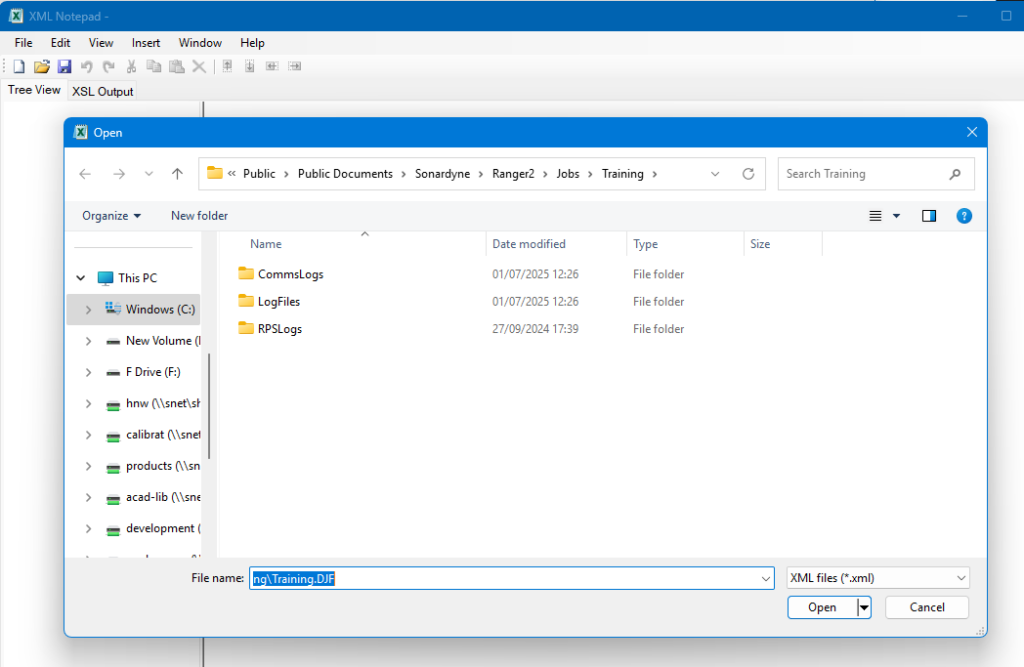
When loaded it will be seen in the Tree View tab ….
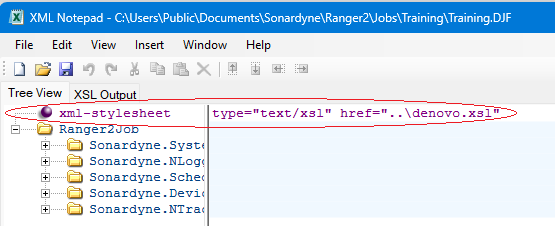
Confirm that the xml-stylesheet is correct as above …. If you’re not loading the DJF in the standard Ranger2 jobs folder location:
C:\Users\Public\Documents\Sonardyne\Ranger2\Jobs\<JobName>\JobName.djf
then it won’t find the denovo.xsl file found at either:
C:\Users\Public\Documents\Sonardyne\Ranger2\Jobs
or
C:\Users\Public\Documents\Sonardyne\Marksman\Jobs
with the link is using a relative path in the href.
Therefore if you’re not loading it in the job folder location, you will need the change the xml-stylesheet value to:-
type=”text/xsl” href=”C:\Users\Public\Documents\Sonardyne\Ranger2\Jobs\denovo.xsl”
so that it can find the xsl file.
As long as the xsl file is found, then when you select the XSL Output tab, you should see the following:
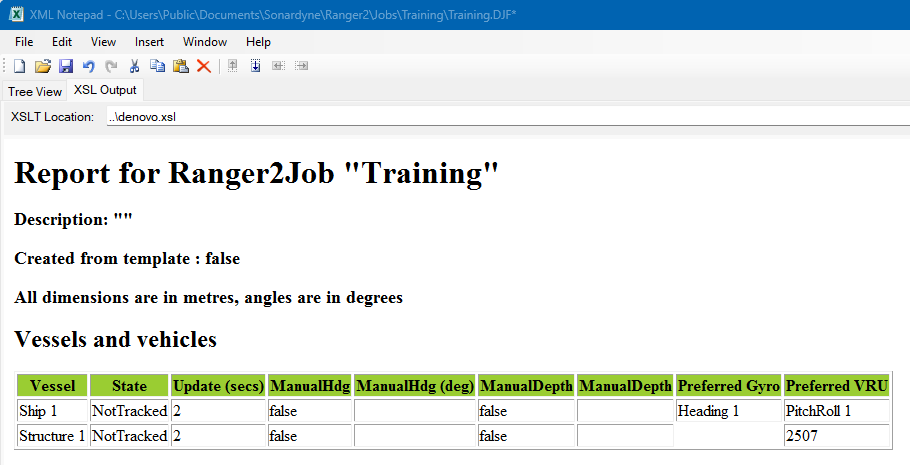
You can also change the xsl file location, from the XSL Output tab, however you need to select the XSL file found at “C:\Users\Public\Documents\Sonardyne\Ranger2\Jobs\denovo.xsl”, and not the DJF as you’ve tried to do in your screenshot.
Notepad can be downloaded from here