


There are a number of options for connecting to a Fetch instrument for testing and configuration purposes before deployment, this article discusses how to connect using an RS232 test cable.
Connecting to a Fetch with an RS232 cable is only an option when there is an optional bulkhead 8-way female connector fitted on the lower sphere, normally used for release or external sensors.
Simply connect the CPU connector of the serial cable to a PC COM port, run 6G Terminal Lite on your PC, click connect, select the applicable RS232 COM port and the connection is complete. 6G Terminal Lite can now communicate directly with the Fetch instrument. To run your checks and generate a test report, navigate to the 6G Setup tab in the software.
Note: you cannot test the acoustic communications or acoustic release with an RS232 cable. To do this we recommend using an iWand.
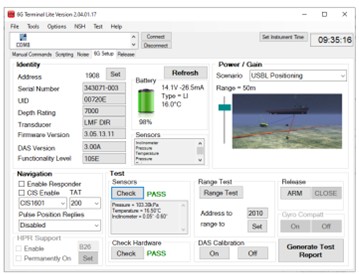
You can find out more about connecting to and running tests on your Fetch by reading the knowledge base articles or watching the video below.